Page 1 of 1
[2.1] transparency issues //and broken mipmaps
Posted: Fri Feb 26, 2021 12:18 pm
by Spectre
I cannot for the life of me figure out transparency incantations to make the textures look right. The closest I've got is using these settings:
HlmsBlendblock::mSourceBlendFactor = SBF_ONE
HlmsBlendblock::mDestBlendFactor = SBF_ONE_MINUS_SOURCE_ALPHA
HlmsBlendblock::mBlendOperation = SBO_ADD
But it always renders the material in some kind of additive way, it's never fully opaque, even when the alpha value is full 0xFF.
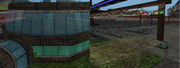
HlmsUnlitDatablock::setAlphaTest( CMPF_GREATER ); kinda works for solid pictures where alpha means holes, but it loses the transparency.
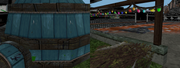
And no, that glass dome wasn't looking very right in the transparent version either - glass needs to be less transparent.
//Also, I'm using manual textures loaded from raw pixel data, and supposedly hardware generated mipmaps evidently contain random vram junk instead of the actual textures, I've even seen bits of my browser window's contents in place of mipmaps. How to force generate proper ones? I'm using OpenGL, if it's relevant.
Re: [2.1] transparency issues //and broken mipmaps
Posted: Fri Feb 26, 2021 9:57 pm
by dark_sylinc
Hi!
If you're using Unlit:
Code: Select all
HlmsBlendblock b;
b.setBlendType( SBT_TRANSPARENT_ALPHA );
datablock->setBlendblock( b );
If you're using Pbs:
Code: Select all
datablock->setTransparency( alpha, Ogre::HlmsPbsDatablock::Fade );
For Pbs you can see Samples/2.0/Showcase/PbsMaterials sample which shows Fade vs Transparent modes.
Also, I'm using manual textures loaded from raw pixel data, and supposedly hardware generated mipmaps evidently contain random vram junk instead of the actual textures
Well yeah, if you suspect your mipmaps are junk (use
RenderDoc to verify), you'll get junk as rendering. In those cases it's best to first start with no mipmaps. Once you get it rendering, get mipmaps to work. How are you generating the mipmaps?
Please note that specifying TU_AUTOMIPMAP is not enough. You must call _autogenerateMipmaps before it's used (or use generate_mipmaps pass from the Compositor). Also it's possible you need to specify TU_RENDERTARGET alongside TU_AUTOMIPMAP for it to work.
Re: [2.1] transparency issues //and broken mipmaps
Posted: Sun Feb 28, 2021 12:14 am
by Spectre
setBlendType( SBT_TRANSPARENT_ALPHA );
Yes, it sets internally the three values I've mentioned exactly the same way, and produces the result like on the first screenshot. I'm using unlit, would pbs render transparency noticably differently?
I did TU_AUTOMIPMAP, and _autogenerateMipmaps was just giving me an exception. Tried to add TU_RENDERTARGET there, that let them be generated without an exception and basically fixed junk mipmap problem, but isn't it a flag that discards something every frame or does some other unnecessary upade? or it's a perfectly fine solution and not a workaround?
Re: [2.1] transparency issues //and broken mipmaps
Posted: Sun Feb 28, 2021 12:53 am
by dark_sylinc
Spectre wrote: Sun Feb 28, 2021 12:14 am
but isn't it a flag that discards something every frame or does some other unnecessary upade? or it's a perfectly fine solution and not a workaround?
Yesish. Ogre 2.1 does the same to generate HW mipmaps. However the 'correct' thing to do is what Ogre 2.2+ does which is to create a temporary texture, generate the mipmaps, then copy the result from temporary to final texture (final texture does not support mipmap generation)
It won't kill your framerate, but it does add up (i.e. killed by a thousand papercuts) specially in terms of memory usage.
Ogre 2.1 did not perform the same solution (write to a temporary, then copy contents) because on OpenGL the copy operations follow an excruciatingly slow path (GPU contents are downloaded to CPU, then uploaded to GPU again).
So in short: It's a perfectly fine solution. In the long term if you move to Ogre 2.2 you can do a more 'correct' approach. As long as your code leaves room for this change (i.e. be aware of the existence of a temporary texture where you write to, which is different from the final texture that is used to render), you will be fine once you port your changes.
Alternatively if your data comes from CPU, you may check how slow/fast it is to use Image::generateMipmaps (which is SW mipmap gen).
Re: [2.1] transparency issues //and broken mipmaps
Posted: Sun Feb 28, 2021 2:34 am
by Spectre
I create textue from raw colors data:
std::vector<uint32> colors;
Ogre::DataStreamPtr streamPtr( new Ogre::MemoryDataStream(colors.data(), colors.size()*4, false) );
texture->loadRawData( streamPtr, width, height, Ogre::PF_A8B8G8R8 );
What is the Ogre::Image solution - should I create the image first, fill it with that data, generate mipmaps, and then use it instead of the raw data stream?
If not and as for the other - didn't quite catch, generating mipmaps on rendertarget texture and then using them to create regular texture is ogre 2.2 solution only, or I can do that on 2.1? if so, would I need to retrieve some buffer from mipmaped one, and then create new manual texture from the retrieved buffer's data? How do I obtain such for that?
Re: [2.1] transparency issues //and broken mipmaps
Posted: Mon Mar 01, 2021 11:35 am
by Spectre
Ogre image works for generating mipmaps as fine as autogenerated rendertarget does, I think I'll prefer the image one so textures would be properly optimized for no write access.
As for the pbs solution for transparency, the fade transparency works great, except that pbs requires normals to be lit, and the resources I use don't have those, I construct them via custom buffers from vertex, uv, vcolor and triange index data. Does ogre have a routine to calculate normals from triangles and vertices? v2Mesh has importV1 mesh, and it has a flag for building normals, but it requires that imported v1 mesh already had normals buffer present, which I don't have.
//Also, does pbs even support vertex color?